


RPCAD · ContraBIM 2.0 · Member Home
YOUR CB2.0
Home Base
Everything you need to get up and running — downloads, onboarding
training, extended programs, and reference material. Start with the
downloads, then work through onboarding at your own pace.
01 — Downloads
Downloads & Revision Notes
Everything in your CB2.0 package — grab all components before opening the template for the first time.
LATEST RELEASE
ContraBIM 2.0 — Version 2.0.1
Initial public release. Includes full attribute library, pen system, building materials set, work environment profile, ContraBIM fonts package, and Excel Bridge templates. Next drop: Industry Content Package — Wood Framing.
RELEASED AUG 1, 2025
Download now →TEMPLATE FILE
CB2.0 Template — AC28 & AC29
The core template file. AC29 native + AC28 saveback included. Save to your local template folder so it appears in the ArchiCAD splash screen.
Link Libraries
ContraBIM Link Libraries
Required for all linked objects in the template. Must be added through the Library Manager. Skip this and you'll see missing object errors on first open.
Work Environment
CB2.0 Work Environment Profile
Sets up your ArchiCAD workspace to align with CB2.0 conventions — toolbars, palettes, and keyboard shortcuts included.
Library Packs
Library Packs — Graphisoft Installer
Installed via the Graphisoft installer, not manually. Mapping Value Tables are already embedded in the CB2.0 template — no separate MVT setup required. Reference download available if needed.
Fonts
ContraBIM Fonts
Preset font packages that integrate directly into the CB2.0 font slot system. Download and install before opening the template for the first time.
Excel Bridge
Excel Bridge Templates
Quantity takeoff and estimate workbooks built to receive CB2.0 model output. Run as-is or modify for your own project workflows.
Questions about setup? Check the First Launch Onboarding series below, or post in the community.
REVISION NOTES
View Full Changelog →02 — Onboarding
CB2.0 Onboarding Training
Work through these in order to understand the structure and logic of CB2.0 — or jump directly to any topic. Each post includes a PDF guide, page summary, and short video.
Foundation
CB2.0 Philosophy & System Logic
Why CB2.0 is a system, not a static template — and how that changes how you use it.
File Types
Attributes File vs. Project Template vs. Content Packages
The three RPCAD file types and how they work together inside your project workflow.
Delivery
Excel Bridge Workflow & Estimate Templates
How we deliver content packages, estimate templates, and QTO outputs through the Excel Bridge.
First Launch Walkthrough — Open the template and follow these steps in order
Unzipping & Folder Structure Setup
Unpacking the download package and setting up a project folder structure before you open ArchiCAD.
Template File Placement & Splash Screen
Where to save the template so it shows up in the ArchiCAD splash screen on every launch.
Library Manager Validation
Linking libraries and confirming zero errors in the Library Manager before you start working.
Welcome Screen & Version Notes
Understanding the template welcome message — version, release date, and first-launch instructions.
Working Model Space & Project Coordinates
Default bounding box, grid lines, and viewpoint markers set up in the CB2.0 template.
Design Options & Visual Favorites (Legends)
How to toggle the design option to show or hide placed visual favorites inside your project file.
View Map & Layout Book Logic
Organizational structure for permit set vs. construction set workflows — views and layouts in sync.
Worksheets Overview & Reference Tools
Text styles, font slot architecture, pen and layer references, and attribute mockup worksheets.
Classification Systems
ArchiCAD 2.0, MasterFormat, and UniFormat II — how each is used in CB2.0 and why.
Custom RPCAD Properties
Overview of RPCAD property categories, what they control, and their relationship to classifications.
Model View Options & Structure Display
Fixed MasterCat-based model structure display settings and how model view options work in CB2.0.
Renovation Filters & Dimension Styles
How renovation filters and dimension style configurations are set up in the CB2.0 template.
Graphical Overrides & 3D Styles
The CB2.0 graphical override system and 3D style configurations — logic and intended use.
Attribute Deep Dives — The DNA of CB2.0
📋
Layers & Layer Combinations
Naming logic, folder structure, index numbering system, and expansion gaps.
🧱
Building Materials
Naming conventions, CSI spec structure, and the R&D library that feeds CB2.0.
⬛
Composite Structures
Naming conventions and material/separator line assignment tied to pen sets.
🏠
Zone Categories & Stamps
Zone category structure and stamp configurations in the CB2.0 template.
03 — Extended Training
Training Programs
In-depth training programs built on CB2.0 workflows. Go deeper after you've completed onboarding.
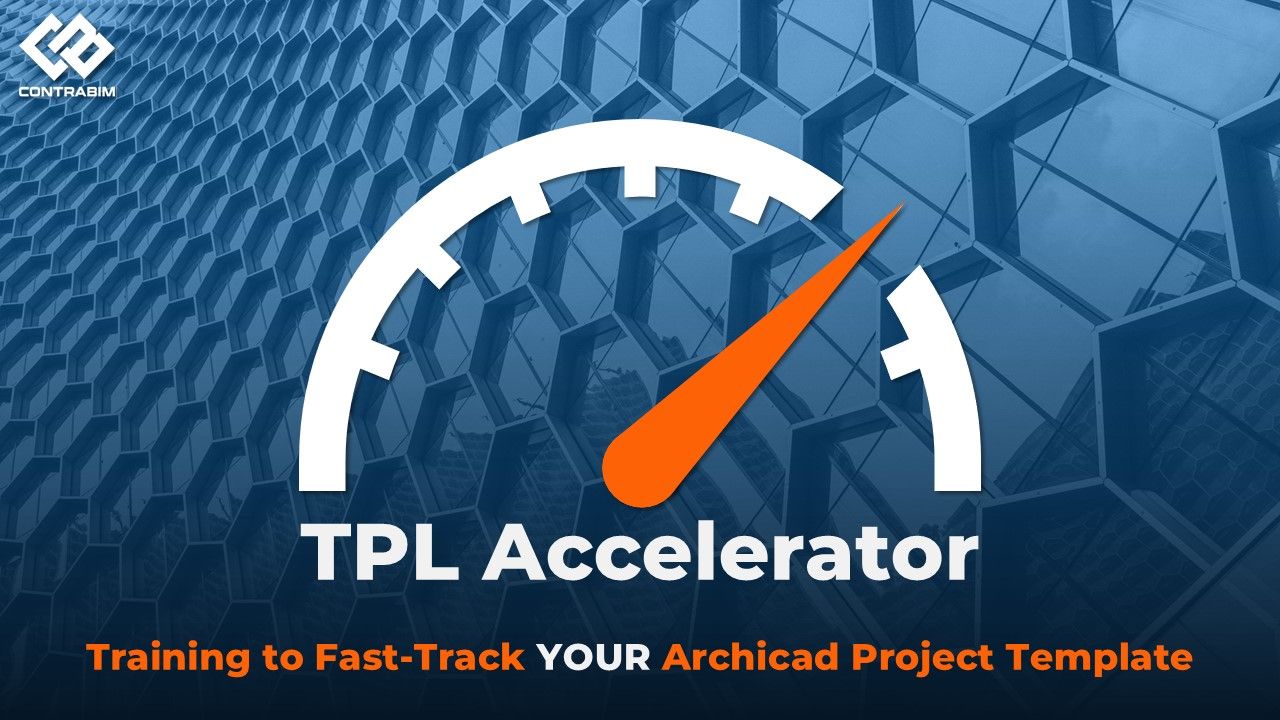
TPO Accelerator
The full template production and optimization training program — covering advanced CB2.0 workflows from attribute management to project delivery. 70+ videos organized by topic.
-
Welcome to AMT+C5D MasterTemplate
1 lesson- Welcome and Congratulations!
-
AMT+C5D Downloads
4 lessons- AMT+C5D - USA 22
- AMT+C5D - USA 23
- AMT+C5D - INT 22
- AMT+C5D - INT 23
-
Starting with Legends
9 lessons- Open & Introduction to Legends
- C5D Components
- Linking to Excel Estimate Template
- Identification & Numbering Systems *INT*
- Inputting Unit Costs
- Excel Property Data Exchange
- Details Report & VLOOKUP - Walls
- Details Report & VLOOKUP - Floors
- Saving Legends to a Module
-
Creating a New Project
5 lessons- Before you Start an New Project
- Create a New Project from TPL
- Updating Legends Connection
- Placeholder Building
- Eye Drop and Model from Legends
-
Excel Estimate Template
8 lessons- Creating a New Excel Estimate
- ARCHICAD to Excel Publisher Path
- Troubleshooting - Report Criteria (Hotlinks)
- Overview of Estimating Workflow
- Cost Summary Sheet
- Gross Area Zone Cost Calculations
- Name Boxes in Excel (Units & Packages)
- Congratulations! & Next Steps
-
Commercial Example Project (Bonus)
1 lesson- Project Overview & Downloads
-
Residential Example Project (Bonus)
1 lesson- Project Overview & Downloads
Other Programs
Program
Excel Bridge Training
Dedicated training on the CB2.0 quantity takeoff workflow — from model setup through Excel output and estimate templates.
Program — In Development
[Program Name]
Placeholder — add additional training programs here as they are completed or released.
Program — In Development
[Program Name]
Placeholder — add additional training programs here as they are completed or released.
04 — Legacy
CB1.0 Training Library
Prior-version training. Concepts and workflows are still applicable — built on ContraBIM 1.0.
Prior version content. These videos and guides were produced on the CB1.0 template. Concepts carry over but file structure, attribute naming, and settings will differ from CB2.0.
Template Setup — CB1.0
Original walkthrough of the CB1.0 template structure and setup process.
Attributes & Pen System — CB1.0
Attribute logic and pen set structure from the original ContraBIM template.
View Map & Layout Book — CB1.0
View organization and layout book workflow from the CB1.0 system.
Building Materials — CB1.0
Original building materials structure and naming conventions.
Quantity Takeoff — CB1.0
Prior-version QTO workflow before the Excel Bridge integration.
Additional CB1.0 Resources
Supplemental guides, walkthroughs, and reference material from the CB1.0 era.